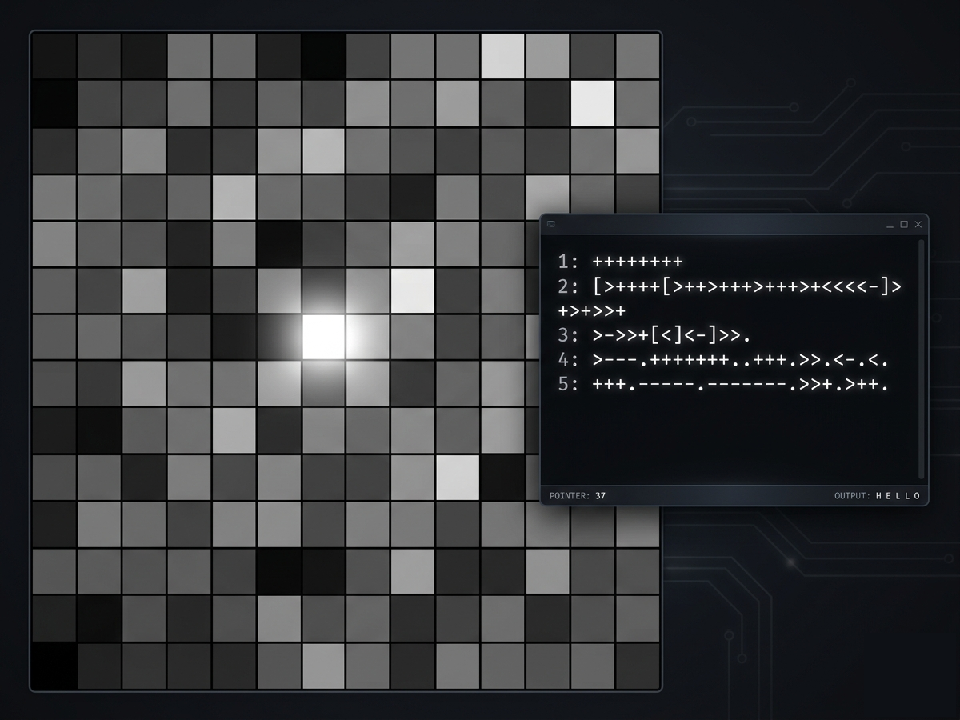
BF Game Engine
A real-time game engine using one of the simplest programming languages ever. Instead of a standard, boring text interpreter, this engine features a custom hardware architecture with memory-mapped I/O. By moving the data pointer to specific cells on the tape, you can draw to the screen, play music, read controller inputs, track the mouse, talk to the internet, and print to a text terminal—all using the 8 simple commands of the BF programming language!
(Note: In the memory map below, V = Total Grid Cells.
For example, on a 16x16 grid, V = 256).
VRAM (Video Memory) | Cells 1 to V
The first V cells are mapped directly to the visual grid on the screen. Changing the values in these cells will update the pixels on the stage upon calling the
dot operator here.
Audio Card | Cells [V+2] to [V+7]
Writing values to these cells will set the Scratch music engine variables (Note: Trigger the audio to play by moving the pointer to any cell of the audio card and using the dot command):
Cell [V+2] [Pitch]: Controls the note played (clamped between 0 - 127).
Cell [V+3] [Instrument]: Selects the Scratch instrument (1 - 21).
Cell [V+4] [Drum]: Selects the drum type (1 - 18). Note: If this is > 0, it overrides the instrument and plays a drum instead.
Cell [V+5] [Volume]: Master volume (0 - 100%).
Cell [V+6] [Pan]: Audio panning. 0 is hard-left, 128 is center, 255 is hard-right (mapped internally to -100 to 100).
Cell [V+7] [Tempo]: Sets the beats-per-minute (BPM). If 0, defaults to 60.
Randomizer | Cell [V+8]
Using the comma (,) operator on this cell gives a random number between 0-255.
Gamepad (Keyboard Input) | Cell [V+9]
This cell reads the player's controller/keyboard inputs and stores them as a bitmask. (w=1, d=2, s=4, a=8)
Read from this cell in your code to move characters on the screen!
Mouse (Touch Input) | Cells [V+10] to [V+12]
Use the (,) operator on these cells to read the player's mouse data:
Cell [V+10] [Click]: Returns 1 if the mouse is currently held down, 0 otherwise.
Cell [V+11] [Mouse X]: Returns the mouse's x position (mapped from 0 to 255).
Cell [V+12] [Mouse Y]: Returns the mouse's y position (mapped from 0 to 255).
Scratchpad (Free Cells) | Cells [V+13] to [V+22]
A block of 10 general-purpose utility cells placed immediately after the hardware inputs. These cells do absolutely nothing when the dot (.) or comma (,) operators are executed on them. They are perfect for fast local storage, variables, and math operations, keeping your data pointer close to the peripheral hardware to maximize execution speed!
Network Card (Cloud Variables) | Cells [V+23] to [V+32]
A built-in multiplayer interface linking to 10 Scratch Cloud Variables!
Using (,) on these cells will download the latest value from the server.
Using (.) on these cells will instantly push that cell's value up to the internet.
Serial Console (Text Output) | Cells [V+33] and beyond
Any standard output command (.) executed while the pointer is at Cell [V+33] or higher will bypass the visual grid and print directly to the text console. The number in the cell is converted to its corresponding ASCII character. Outputting ASCII 10 (Line Feed) will automatically start a new line in the console list.
If you are new to this language, it only uses these 8
characters (all other characters are ignored and treated
as comments):
> / < : Move the memory pointer right / left.
+ / - : Add / subtract 1 from current cell (wraps at 0 and 255).
. : Output the cell's value (Action depends on pointer location!).
, : Store one byte of input into the current cell.
[ : If current cell is 0, jump forward past the matching right square bracket (]).
] : If current cell is not 0, jump backward to the matching left square bracket ([).
Shortcuts:
Press q + r to reset grid size
Press c + v to show console
Press i + n to show instructions and notes
Press r + e to use the text repeat tool
Hold space over a cell to see its index and value
Is this based on BF16?
Nope! I actually had never heard of BF16 when I built this. I designed this engine's Memory-Mapped I/O architecture from scratch in Scratch. It's a cool coincidence that it aligns so closely with how other devs solved the problem, but this is a 100% independent implementation!
Download
Click download now to get access to the following files: